ENWW Editing the phone book 31
Editing names in the phone book
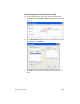
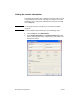
To edit names in the phone book, use the following steps:
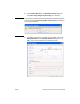
1 Under Fax To in the HP MFP Send Fax dialog box, click the book
icon.
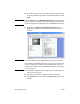
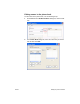
2 In the Phone Book dialog box, select the name that you want to
edit and then click Edit.