
HP Embedded Digital Sending - PC Fax Send User Manual

ENWW 33
3
Configuration
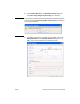
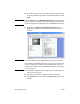
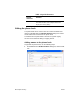
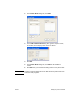
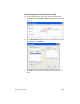
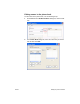
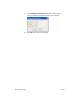
This chapter provides information about configuring the default
settings for the MFP Send Fax driver by using the Edit Defaults
button on the Setup tab:
● Setting the sender information
● Setting the fax quality
● Setting the notification settings
● Setting the cover page information
● Setting the preview preference
● Setting the fax driver printer preferences
● Setting the billing code configuration
Note The default settings might have been set during the installation process.