
HP Embedded Digital Sending - PC Fax Send User Manual

ENWW Setting the notification settings 37
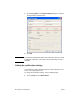
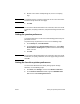
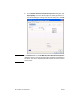
2 Under Notification in the Default Settings dialog box, select
when to receive notifications:
• None: notification is not sent.
• This Job: notification is sent when a fax is sent.
• On Error: notification is sent when an error occurs.
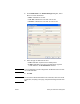
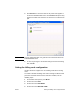
3 Select the type of notification to send:
• Print: notification is printed on the default printer.
• E-mail: notification is sent in an e-mail message. Type the
e-mail address in the E-mail Address text box.
Note The e-mail function must be configured on the MFP in order to receive
an e-mail notification.
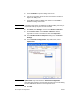
4 Click OK.
Note To set all of the default information at the same time, select the sender
information, fax quality, cover page, and preview settings and then click
OK.