
HP Embedded Digital Sending - PC Fax Send User Manual

ENWW Setting the billing code configuration 41
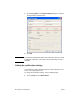
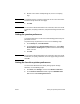
4 Click Services to check the status of the printer and supplies or
to start the embedded Web server. The Services tab options only
appear if the MFP Send Fax driver is connected to a valid TCP/IP
port.
Note See the appropriate MFP user guide for more information about the
Embedded Web server.
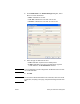
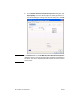
5 To save any changes to the default settings and close the dialog
box, click OK.
Setting the billing code configuration
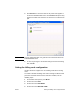
HP MFP Send Fax supports the use of billing codes when sending
faxes.
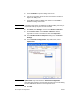
To enable or disable the billing code feature through the MFP control
panel after the MFP Send Fax driver has been installed, use the
following steps:
1 On the MFP control panel, press Menu.
2 Scroll to and touch FAX.
3 Scroll to and touch FAX SEND.
4 Scroll to and touch BILLING CODE.