
HP Embedded Digital Sending - PC Fax Send User Manual


ENWW Error messages 53
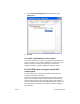
The file cannot
be found
A fax was sent with an
invalid Image path
specified in the Image
text box on the Fax Job
tab or the Setup tab.
Type a valid path to the
image in the Image text
box on the Fax Job tab or
the Setup tab.
A fax was sent with a path
to a missing image file
specified in the Image
text box on the Fax Job
tab or the Setup tab.
Type a valid path to the
image in the Image text
box on the Fax Job tab or
the Setup tab.
A fax was sent with a path
to an invalid file type
specified in the Image
text box on the Fax Job
tab or the Setup tab.
Type a valid path to a
bitmap image in the
Image text box on the
Fax Job tab or the Setup
tab.
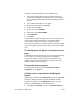
The e-mail
address is not
in a
recognized
format. Do you
still want to
use it?
The e-mail address in the
E-mail address text box
on the Setup tab is not a
valid e-mail address.
Click Yes to send the
e-mail to the specified
address.
Click No to return to the
Setup tab to change the
e-mail address.
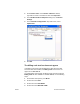
Reached
maximum
number of
entries
The Fax Recipients list
contains the maximum
number of fax recipients.
The Fax Recipients list is
limited to 100 entries.
The maximum number of
fax numbers has been
entered. Send the fax to
any remaining recipients
by using a separate fax
job.
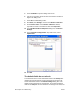
The phone book contains
the maximum number of
entries.
The phone book is limited
to 500 entries.
Remove entries in the
phone book.
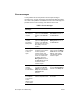
Table 2: Error messages
Error
Message
Cause Solution