
HP LaserJet MFP - Configuring Embedded LDAP Authentication

8 - configure
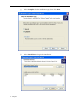
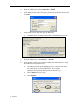
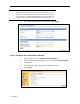
d. From the LDP menu, select Connection → Bind.
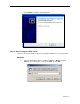
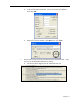
e. In the Bind window, input username, password, and domain name; then
click OK.
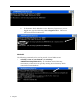
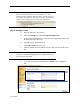
f. On the LDP screen, find and copy the Base DN.
w The Base DN is normally listed within “defaultNamingContext.”
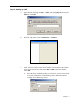
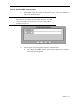
g. From the LDP menu, select Browse → Search.
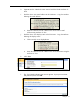
h. In the Search window, paste the Base DN into the Base Dn box. Input
the LDP Filter into the Filter box.
w Use (&(objectclass=person)(displayname=”customer last name,
first name letter”*)) as the LDP Filter. For example,
(&(objectclass=person)(displayname=mcdonald, j*))
w Select Subtree for the Scope.
w Click Options.