
HP LaserJet MFP - Configuring Embedded LDAP Authentication

10 - configure
Hint
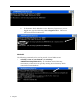
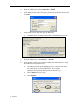
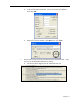
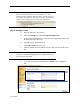
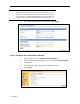
Notice how the username is set up on the LDP screen. The
username format is defined within the device user DN. This can
be viewed in the LDP trace. The format is often in email address
format, but can be defined in many different combinations.
Step 3: Configure LDAP
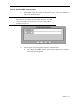
a. Open the EWS in a web browser.
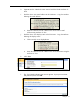
b. Select the Settings tab, and then LDAP Authentication.
c. On the LDAP Authentication screen, paste the copied Search Prefix into
the Bind and search Root box.
d. Input cn into the Bind Prefix box.
e. Input 389 or 3268 in the Port box.
f. Input the LDAP server IP address or server name into the LDAP Server
box.
Hint
Using the command echo %logonserver% earlier, IDBGCAM03 was
the server name discovered.
g. Leave the LDAP Server Bind Method at Simple unless configuring
SSL.