
HP LaserJet MFP - Configuring Embedded LDAP Authentication

configure - 11
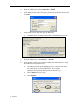
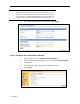
h. Input cn into the “Match the name entered with the LDAP attribute of”
field.
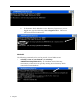
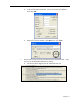
i. Find the device user email address in the LDP trace. Copy the attribute
defining the email address.
w Paste the attribute into the “Retrieve the device user’s email
address using attribute of” box.
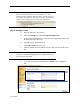
j. Find the device user display name in the LDP trace. Copy the attribute
defining the display name.
w This is usually set as displayName.
w Paste the attribute into the “Retrieve the device and name using the
attribute of” box.
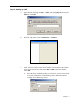
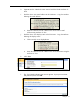
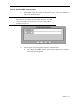
k. Click Test.
l. The Test LDAP Authentication screen appears. Input your username
and password; then click OK.