
HP LaserJet MFP - Configuring Embedded LDAP Authentication

12 - configure
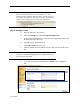
Hint
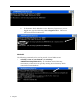
Remember how the username was set up on the LDP screen. The
username is defined within the device user DN value in the LDP
trace and is not in standard Windows domain account format. The
format is often your entire email address, including the @xx.xx.
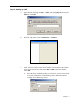
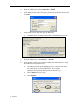
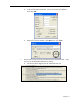
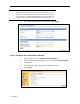
m. The LDAP Authentication screen appears. Click Apply.
Step 4: Configure the Authentication Manager
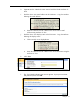
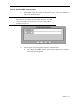
a. From the EWS, click the Authentication Manager tab.
b. On the Authentication Manager screen, check the Use internal LDAP
radial button.
c. Check all boxes under “Require user authorization for.”
d. Click Apply.