
HP LaserJet MFP - Configuring Embedded LDAP Authentication




configure - 1
Overview
Configuring embedded LDAP authentication is a technical process that involves
configuring the MFP to communicate with the LDAP database. This document
provides step-by-step instructions on configuring this functionality.
Required tool
It is necessary to use Microsoft LDP to configure the MFP for embedded LDAP
authentication. Microsoft LDP is a support tool that ships with the Windows
Support Tools contained on the Windows OS media. It allows you to connect,
bind, and query an LDAP database.
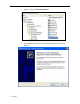
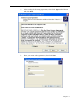
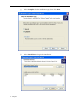
Microsoft LDP can be installed and configured by following these instructions:
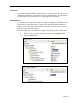
a. Browse to the root of the OS media, and open the Support folder.
b. Open the Tools folder.