
HP LaserJet M5025/M5035 MFP - Software Technical Reference (external)
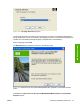
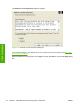


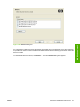


Figure 3-31 Language Selection dialog box
The language selected in this dialog box is the language in which the Customization Wizard will run
during configuration. (This is not necessarily the language in which the customization package will be
installed. The customization package language is selected later in the installation.)
Select a language and click OK.
The Welcome dialog box appears, as shown in the following figure.
Figure 3-32 Welcome to the HP LaserJet M5025/M5035 MFP Installation Customization Wizard
screen
Click Next in the Welcome to the HP LaserJet M5025/M5035 MFP Installation Customization
Wizard dialog box.
ENWW Print-driver installation instructions 91
MS Windows install