
HP LaserJet M5025/M5035 MFP - (mulitple language) Getting Started Guide


5
English
English
Français
Français
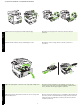
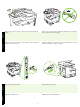
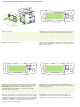
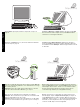
11) If necessary, remove the two control-panel overlays and install new
overlays.
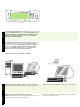
12) If you are connecting using a USB cable, wait until you are prompted
at the computer in step 22 on page 8.
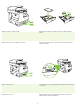
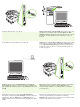
13) Connect the network cable. 14) Connect the power cable.
11) Si nécessaire, retirez les deux caches du panneau de commande et
installez de nouveaux caches.
12) Si vous utilisez une connexion via un câble USB, attendez le message
d’invite de l’ordinateur à l’étape 22, page 8.
13) Branchez le câble réseau. 14) Branchez le câble d’alimentation.