
HP LaserJet M5025/M5035 MFP - (mulitple language) Getting Started Guide

2
English
English
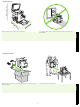
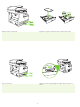
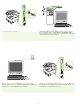
775 mm (31 in)
Make sure there is enough space to position the device. To position the device, select a sturdy, well-ventilated, dust-free area that is out of
direct sunlight.
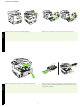
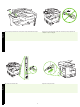
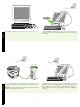
1) Remove the contents from the box. Note: The handles are on the left, right, and
back of the device.
2) Place the device on a sturdy surface.
• Prepare the site
• Unpack the device