
Technical data






Using Console and Service Processor Interfaces
Service Processor Features
HP System Partitions Guide: Administration for nPartitions, rev 5.1
130
• Virtual Front Panel (VFP) for an nPartition
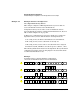
Each nPartition’s Virtual Front Panel (VFP) displays real-time
status of the nPartition boot status and activity, and details about all
cells assigned to the nPartition. The VFP display automatically
updates as cell and nPartition status changes. A system-wide VFP
also is provided.
Enter VFP at the Main menu to access the View Front Panel menu.
To exit a Virtual Front Panel, type ^b (Control-b).
See Using Virtual Front Panels on page 159 for details.