
Technical data





An Overview of nPartition Boot and Reset
Listing nPartition Boot Settings
HP System Partitions Guide: Administration for nPartitions, rev 5.1
183
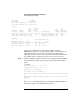
The setboot command also reports the “autoboot” and “autosearch”
settings for the PRI boot path. Combined, these two settings are
equivalent to the PRI path’s boot actions (its “path flags” setting).
When autoboot is set to ON, the nPartition attempts to automatically
boot from the PRI boot path when it first boots to BCH. Otherwise, when
autoboot is OFF, the nPartition remains at the BCH interface on startup.
When autosearch is set to ON, the nPartition will attempt to perform the
boot action for the HAA boot path if the PRI boot action is automatically
attempted and fails to boot (when autoboot is ON). When autosearch is
set to OFF, the nPartition remains at BCH if the PRI path is not
automatically booted on startup.
Refer to the section Configuring Autoboot and Autostart on page 234 for
other details and procedures.
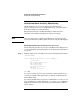
Listing nPartition Boot Settings [Partition Manager]
This procedure (Partition —> Show Partition Details action, General tab)
lists an nPartition’s boot paths from Partition Manager.
Step 1. Run Partition Manager (/opt/parmgr/bin/parmgr) or access it from
SAM or a Web browser.
Step 2. Select the nPartition whose boot path settings you want to view.
Partitions are listed on the left side of the Partition Manager primary
window.
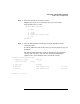
Step 3. Select the Partition —> Show Partition Details action and view the boot path
settings in the General tab.
This displays the PRI, HAA, and ALT boot path values for the selected
nPartition.