
Technical data





An Overview of nPartition Boot and Reset
Hanged HP-UX and Running HP-UX Detection
HP System Partitions Guide: Administration for nPartitions, rev 5.1
190
To exit the live log display, type ^b (Control-b)
Heartbeat for HP-UX
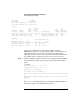
When HP-UX is running on the nPartition, the live log partition filter
shows the nPartition’s HP-UX HEARTBEAT chassis codes and
corresponding ACTIVITY_LEVEL_TIMEOUT counter updates.
Filtering partition 0
Alert Level 0: No failure; Keyword: HEARTBEAT
Processor 0 ; Status: 15
Logged by HP-UX 26 during display_activity update subActivity 10
Legacy PA HEX chassis-code: f10f
0xf8e1a8001100f10f 0x000000000000f10f
HPUX 0,0,0 0 ACTIVITY_LEVEL_TIMEOUT
Alert Level 0: No failure; Keyword: ACTIVITY_LEVEL_TIMEOUT
Processor 0 timeout; Status: 0
Logged by HP-UX 0 during display_activity update subActivity 0
Activity Level/Timeout: 0% / 3 minutes
0x78e008041100f000 0x0000000200000000
HPUX 0,6,2 0 HEARTBEAT
Alert Level 0: No failure; Keyword: HEARTBEAT
Processor 0 ; Status: 15
Logged by HP-UX 26 during display_activity update subActivity 10
Legacy PA HEX chassis-code: f10f
0xf8e1a8001100f10f 0x000000000000f10f
Activity Timeout Counter
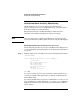
The nPartition activity timeout counter is reset every time HP-UX on the
nPartition emits a HEARTBEAT chassis code. The timeout counter expires
when no HEARTBEAT code has been emitted for three minutes in the
nPartition.
See Configuring Automatic System Restart for a nPartition on page 236
for more details about the activity timeout counter.
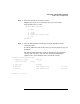
Step 5. If the nPartition is not emitting HEARTBEAT chassis codes, then access the
nPartition’s console by entering CO from the service processor main menu
and selecting the partition number for the nPartition.
Accessing the nPartition’s console may help determine whether an
HP-UX crash dump is occurring or any console or error messages were
given.