
Technical data




Booting and Resetting nPartitions
Accessing an nPartition Console and BCH Interface
HP System Partitions Guide: Administration for nPartitions, rev 5.1
201
• When an nPartition is at the BCH interface you can access BCH
commands from the nPartition’s console and can reboot BCH if
needed.
• When an nPartition has booted to ISL you can use the EXIT
command to exit ISL and return to the nPartition’s BCH interface.
• When an nPartition has booted HP-UX, in order to access the
BCH interface you must reboot HP-UX and if necessary interrupt the
automatic boot process. (To reboot the nPartition, use the
shutdown -r command, or use shutdown -R if you also are changing
the nPartition’s cell configuration.)
Non-Interactive Console Access
In the following situations, you cannot interact with the nPartition’s
console. In these cases you can wait until the console is interactive or can
force interactive access.
• When the nPartition is resetting or is booting HP-UX you
cannot interact with software running on the nPartition.
Once the nPartition has completed resetting, or has completed
booting HP-UX, you can interact with the nPartition’s BCH or
HP-UX prompts.
To determine an nPartition’s boot state, use the nPartition’s Virtual
Front Panel (the VFP menu, available from the service processor
Main menu).
• When another user already is attached to the console you can
access the nPartition’s console in spy (read-only) mode or can force
write access by typing ^ecf (Control-e c f).
Spy mode allows you to view console information but does not enable
you to enter commands. If you type when accessing an nPartition
console in spy mode, the console prints the following message.
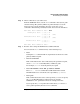
[Read-only - use ^Ecf to attach to console.]
When in spy mode, you can force access to the nPartition’s console by
typing ^ecf (Control-e c f). Doing this provides you interactive console
access and forces (“bumps”) the user who was using the console into
spy mode.
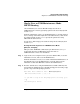
[Bumped user - Admin.]