
Technical data




Booting and Resetting nPartitions
HP-UX Booting on an nPartition
HP System Partitions Guide: Administration for nPartitions, rev 5.1
204
HP-UX Booting on an nPartition
nPartitions boot and reboot HP-UX independently from each other. This
section describes how to boot a single instance of HP-UX on an
nPartition.
NOTE For details on booting HP-UX in Virtual Partitions (vPars), refer to the
section Booting HP-UX on vPars on page 485.
You can boot HP-UX on an nPartition using the BCH interface’s BOOT
command.
Each nPartition’s BCH interface is available through its console. All
nPartition consoles are available from the complex’s service processor
(GSP or MP) Console menu.
An nPartition will automatically boot HP-UX when its boot paths (PRI,
HAA, ALT) and corresponding boot actions are appropriately set. For
details see Configuring Boot Paths and Boot Actions on page 228.
On HP Superdome servers only, if one of the nPartition’s components
fails self-test and AUTOSTART is OFF then the nPartition stops booting
at the BCH interface.
Booting HP-UX on an nPartition [BCH]
The following procedure (BCH interface BOOT command) boots HP-UX on
an nPartition using the nPartition’s BCH interface.
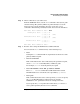
Step 1. Login to the server complex’s service processor (GSP or MP), access the
nPartition’s console, and access the BCH Main menu.
From the nPartition console, you access the nPartition’s BCH interface.
If the nPartition is not at the BCH interface, you must either boot the
nPartition or shut down HP-UX to return to the BCH interface.
When accessing the nPartition’s BCH interface, if you are not at the BCH
Main menu then enter MA to return to the Main menu.