
Technical data



Booting and Resetting nPartitions
Configuring Automatic System Restart for a nPartition
HP System Partitions Guide: Administration for nPartitions, rev 5.1
237
129 GSP 0 *13 0x591008d1a000205f 0x000065060c0f1611 PARTITION_TIMEOUT_RESET
128 HPUX 0,0,0 *13 0x78e004d41100f000 0x0000000300000009
128 HPUX 0,0,0 *13 0x58e00c000000f000 0x000065060c0f1610 07/12/2001 15:22:16
Monitoring HP-UX Activity and Chassis Logs
You can monitor whether HP-UX is active on an nPartition through the
nPartition’s Virtual Front Panel and through the Chassis Logs viewer.
• You can track an nPartition’s HP-UX activity through its Virtual
Front Panel (VFP) display, which is available through the service
processor. When HP-UX has booted on an nPartition, the nPartition’s
VFP blinks an HP-UX heartbeat indicator based on the
HEARTBEAT chassis code.
• You also can track HP-UX activity though the service processor’s
Chassis Logs viewer, which enables you to view live (real-time)
chassis codes as well as previously recorded error and activity
chassis codes.
For example, to monitor an nPartition’s chassis codes in real time:
from the service processor Main menu select SL for the Chassis Logs
viewer, select the live chassis logs option, then type P and select
which nPartition’s chassis codes you want to monitor (to exit to the
Main menu type ^b).
Configuring nPartition Automatic
System Restart [Service Processor]
This procedure (Command menu, AR command) enables or disables
automatic system restart for an nPartition by using the service processor
Command menu.
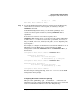
Step 1. Login to the server complex’s service processor (GSP or MP) and enter CM
to access the Command menu.
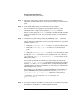
Step 2. Issue the service processor Command menu’s AR command to enable or
disable automatic system restart for an nPartition.
To use the AR command, you must be logged in using an account that has
administrator authority.
GSP:CM> AR
This command modifies the automatic system restart configuration of