
Technical data





Booting and Resetting nPartitions
Boot Timer Configuration for an nPartition
HP System Partitions Guide: Administration for nPartitions, rev 5.1
243
Boot Timer Configuration for an nPartition
The boot timer setting establishes the number of seconds an nPartition
will wait for a boot device before timing out.
When a boot device does not respond to a boot request within the number
of seconds defined by the boot timer setting, the boot is considered
unsuccessful.
Configuring an nPartition Boot Timer [BCH]
This procedure (Configuration menu, BOOTTIMER command) configures
an nPartition’s boot timer setting from its BCH interface.
Step 1. Login to the server complex’s service processor (GSP or MP), access the
nPartition’s console, and access the BCH Configuration menu.
From the nPartition console, you access the nPartition’s BCH interface.
If the nPartition is not at the BCH interface, you must either boot the
nPartition or shut down HP-UX to return to the BCH interface.
From the BCH Main menu, enter CO to access the Configuration menu.
Step 2. From the BCH Configuration menu, use the BOOTTIMER command to list
or set the boot timer setting.
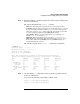
Enter BOOTTIMER with no arguments to list the current setting.
Enter BOOTTIMER
seconds
to set the boot timer setting to the specified
(
seconds
) number of seconds.