
Technical data




Managing nPartitions
Listing the Local (Current) Partition Number
HP System Partitions Guide: Administration for nPartitions, rev 5.1
251
Listing the Local nPartition Number [HP-UX]
This procedure (parstatus -w) lists the partition number of the local
(current) nPartition from HP-UX.
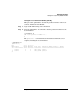
Step 1. Login to HP-UX running on the nPartition.
Step 2. Issue the parstatus -w command to list the partition number for the
local nPartition.
# parstatus -w
The local partition number is 0.
#
The parstatus -P command lists all nPartitions within the server
complex, including the local nPartition.
# parstatus -P
[Partition]
Par # of # of I/O
Num Status Cells Chassis Core cell Partition Name (first 30 chars)
=== ============ ===== ======== ========== ===============================
0 active 2 2 cab0,cell0 jules00
1 active 2 2 cab0,cell4 jules01
#