
Technical data




Managing nPartitions
Listing All Configured nPartitions
HP System Partitions Guide: Administration for nPartitions, rev 5.1
253
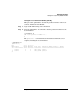
Step 2. From the service processor Command menu, enter the CP command to
list all configured nPartitions within the server complex.
The CP command lists each nPartition (by partition number) and
indicates which cells from each cabinet are assigned to the nPartition.
In the following example the complex has two nPartitions: partition
number 0 has cells 0 and 2, and partition number 1 has cells 4 and 6.
GSP:CM> CP
--------------------------------------------------------------------------------
Cabinet | 0 | 1 | 2 | 3 | 4 | 5 | 6 | 7
--------+--------+--------+--------+--------+--------+--------+--------+--------
Slot |01234567|01234567|01234567|01234567|01234567|01234567|01234567|01234567
--------+--------+--------+--------+--------+--------+--------+--------+--------
Part 0 |X.X.....|........|........|........|........|........|........|........
Part 1 |....X.X.|........|........|........|........|........|........|........
GSP:CM>
To the right of each partition number is a list of cells assigned to the
nPartition. Assigned cells are marked with an “X”. The cell’s slot (0 to 7)
and its cabinet number (0 or above) are listed above each cell.
You also can use the DU command to list all cells in a server complex (and
other complex hardware details), including unassigned cells.
Listing All nPartitions [HP-UX]
This procedure (parstatus -P command, and parstatus -C for details)
lists information about all nPartitions in a server complex from HP-UX.
From any nPartition in a complex, you can list details about all cells and
nPartitions within the complex.
Step 1. Login to HP-UX running on any of the server complex’s nPartitions.
You can login to HP-UX on the nPartition either by connecting with
telnet or rlogin, or by logging in to its complex’s service processor and
accessing the nPartition’s console.
Step 2. Issue the parstatus -P command to list brief details about all
nPartitions in the server complex.