
Technical data




Listing and Managing Server Hardware
Listing Cell Processor and Memory Configurations
HP System Partitions Guide: Administration for nPartitions, rev 5.1
336
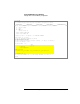
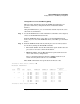
Partition Memory Information
Cell DIMM Rank 0/1 DIMM Rank 2/3 DIMM Rank 4/5 DIMM Rank 6/7
Size Status Size Status Size Status Size Status
---- ------ --------- ------ --------- ------ --------- ------ ---------
4 2048MB Active --- --- ---
--- --- --- ---
6 2048MB Active --- --- ---
--- --- --- ---
Partition Total Memory: 4096
Partition Active Memory: 4096
Partition Deconfigured Memory: 0
* status is scheduled to change on next boot.
Information Menu: Enter command >
Listing Cell Processors and Memory [HP-UX]
This procedure (parstatus command, with various options) lists cell
processor and memory configurations from HP-UX.
You can check these details for any cell in the complex.
Step 1. Login to HP-UX running on any of the system’s nPartitions.
You can list processor and memory details from any nPartition.
Step 2. Issue the parstatus command to view cell hardware details including
processor and memory configurations.
Use any of the following parstatus commands to view cell hardware
information:
parstatus -V -c
#
List detailed processor and memory configuration information for the
specified cell.
• parstatus -C
List brief processor and memory information for all cells in the entire
Superdome complex.
parstatus -V -p
#
List brief processor and memory information for all cells assigned to
the specified nPartition.