
Technical data






Listing and Managing Server Hardware
Checking for Memory DIMM Failures
HP System Partitions Guide: Administration for nPartitions, rev 5.1
362
Checking for Memory DIMM Failures
You can list cell memory configurations and check for memory DIMM
failures using software tools and utilities.
You can use the following procedures:
• Checking Memory Status [HP-UX] on page 362
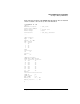
This procedure (parstatus -V -c#) lists a cell’s memory status,
including any DIMM failures, from HP-UX.
• Checking Memory Status [Partition Manager] on page 364
This procedure (Cell —> Show Cell Details menu, CPUs/Memory
tab) lists a cell’s memory status, including any DIMM failures, from
Partition Manager.
Checking Memory Status [HP-UX]
This procedure (parstatus -V -c
#
) lists a cell’s memory status,
including any DIMM failures, from HP-UX.
Step 1. Login to HP-UX running on any of the system’s nPartitions.
You can check memory details for any cell from any nPartition.
Step 2. Issue the parstatus -V -c
#
command to list detailed information about
the specified cell (-c
#
).
The detailed information parstatus reports includes a list of all DIMMs
(memory modules) installed on the cell, and the status of each DIMM.
Any memory listed as “failed” either has failed self-tests or has been
software deconfigured by the Boot Console Handler (BCH) Service
menu’s DIMMDEALLOC command.
NOTE For any DIMM that fails or is deallocated, all other DIMMs in the same
rank also are deallocated. All four DIMMs within the same rank must
pass self-test and must be allocated for the rank to be made available for
use by the cell and its nPartition.