
Technical data






Processor Sets (Psets) on nPartitions
Example Uses of Psets
HP System Partitions Guide: Administration for nPartitions, rev 5.1
438
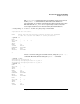
All processors in Pset 2 are being used fairly heavily, while processors in
Pset 0 are 100% idle. This is due to Pset processor resource isolation: by
default each program only uses processors in the Pset in which it is run.
(The Pset programming interface can override this default to launch
threads and processes in other Psets, given the right conditions.)
# mpsched -u -p 10368
Pid 10368: not bound using the default process launch policy
# sar -u -M -P 1
HP-UX feshd5a B.11.11 U 9000/800 10/23/01
00:24:26 pset cpu %usr %sys %wio %idle
00:24:27 0 0 0 0 0 100
2 1 101 0 0 0
0 2 1 0 0 100
2 3 101 0 0 0
2 4 100 1 0 0
2 5 96 0 0 5
2 6 101 0 0 0
2 7 101 0 0 0
2 8 18 2 0 81
0 9 0 1 0 100
2 11 88 0 0 13
system 64 0 0 36
#
Example 10-4 Managing Pset Permissions and Attributes
This example modifies Pset owner, group, and access permissions; lists
various Pset details; and includes other sample Pset uses by various
users on the system.
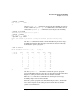
Use psrset -i to list the current Pset configuration for the local
nPartition. Three Psets are configured: Pset 0, Pset 7, and Pset 8.
# psrset -i
PSET 0
SPU_LIST 0 1 2 3 4 5
OWNID 0
GRPID 0
PERM 755
IOINTR ALLOW
NONEMPTY DFLTPSET
EMPTY FAIL
LASTSPU DFLTPSET