
Technical data






Virtual Partitions (vPars) Management on nPartitions
Tools for Managing vPars on nPartition Servers
HP System Partitions Guide: Administration for nPartitions, rev 5.1
452
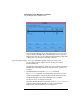
Virtual Partition Manager has online help that you can view at any
time by clicking the Help button, which displays info in a separate
Web browser. You also can view Virtual Partition Manager help from
a Web browser by issuing the following command:
/opt/netscape/netscape file:/opt/webadmin/vparmgr/help/C/overview.html
See the online help for complete details on using the Virtual
Partition Manager.
All Virtual Partition Manager tasks also can be performed using the
HP-UX vPars commands, which are described in the vpartition (5)
manpage.
• HP-UX nPartition Commands: parstatus and Others
The parstatus command can list nPartition status info as well as
details about hardware assigned to the local nPartition and other
hardware throughout the entire nPartition server complex.
See the parstatus (1) manpage for details.
The other HP-UX nPartition commands, such as parmodify, also are
supported when running HP-UX in a vPar on an nPartition.
Likewise the Partition Manager tool is supported.