
Technical data






Virtual Partitions (vPars) Management on nPartitions
Booting HP-UX on vPars
HP System Partitions Guide: Administration for nPartitions, rev 5.1
488
When using the BOOT command you can specify a boot path variable (for
example, BOOT PRI) or a hardware path for the boot device (for example,
BOOT 0/0/1/0/1.3).
In addition to having the vPars database (vpdb), the device must have
both HP-UX 11i and the vPars software product installed.
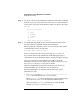
Step 5. Instruct BCH to stop the boot process at the ISL prompt by entering y at
the “Do you wish to stop” prompt.
Do you wish to stop at the ISL prompt prior to booting? (y/n)
>> y
If the boot device’s AUTO is set to boot /stand/vpmon then you can
instead enter n (for “do not stop at ISL”) and have the nPartition proceed
to boot the vPars monitor automatically.
However, you must direct the ISL/SSL interfaces to load /stand/vpmon
if the boot device’s AUTO file does not contain the string hpux boot
/stand/vpmon.
You can check the AUTO file contents from the ISL prompt by entering
the hpux show autofile command. By default the AUTO file is set to
hpux, which loads the /stand/vmunix kernel.
See Configuring vPar Autoboot on page 496 for details on configuring a
boot device’s AUTO file.
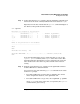
Step 6. As necessary, from the ISL interface enter the hpux boot /stand/vpmon
command to boot the vPars monitor (vpmon) on the local nPartition.
ISL> hpux boot /stand/vpmon
Boot
: disk(0/0/6/0/0.5.0.0.0.0.0;0)/stand/vpmon
565248 + 156368 + 16872200 start 0x23000
Welcome to VPMON (type ’?’ for a list of commands)
MON>
If you stopped at the ISL interface, you must perform this step.
You do not need to perform this step if the boot device AUTO file is set to
hpux boot /stand/vpmon and you did not stop at the ISL prompt in the
previous step.