
Technical data






Virtual Partitions (vPars) Management on nPartitions
Booting HP-UX on vPars
HP System Partitions Guide: Administration for nPartitions, rev 5.1
490
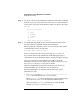
• To load/boot HP-UX only on the autoboot-enabled vPars, enter:
vparload -auto
This command loads only the vPars that have the autoboot attribute
configured (the boot attribute is set to auto).
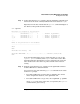
The following example shows the vPar named “Shad” being loaded from
the vPars monitor prompt and booting HP-UX.
MON> vparload -p Shad
[MON] Booting Shad...
[MON] Console client set to Shad
[MON] Console server set to Shad
[Shad]
[MON] Shad loaded
gate64: sysvec_vaddr = 0xc0002000 for 2 pages
NOTICE: nfs3_link(): File system was registered at index 3.
NOTICE: autofs_link(): File system was registered at index 6.
NOTICE: cachefs_link(): File system was registered at index 7.
Host is virtual System Console slave
Logical volume 64, 0x3 configured as ROOT
Logical volume 64, 0x2 configured as SWAP
....
HP-UX Start-up in progress
__________________________
Configure system crash dumps ........................................ OK
Mount file systems .................................................. OK
Virtual Partitions Initialization ................................... OK
Update kernel and loadable modules .................................. N/A
Initialize loadable modules ......................................... N/A
Setting hostname .................................................... OK
....
Step 9. Login to HP-UX running in the vPar you loaded/booted in the previous
steps of this procedure.
Because the nPartition console is shared by all Virtual Partitions within
the nPartition, you should login using a method other than the system
console login for most vPar access purposes.
Use the telnet command or another remote login method to access
HP-UX running on the vPar.