
Technical data





Virtual Partitions (vPars) Management on nPartitions
Reconfiguring nPartition Attributes from a vPar
HP System Partitions Guide: Administration for nPartitions, rev 5.1
515
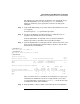
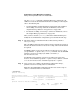
Step 3. Use the parmodify command or Partition Manager to modify the
nPartition’s configuration. (Do not use the setboot command.)
For example, parmodify -p0 -P NewName changes nPartition number 0
to be named “NewName”.
For other details, refer to the chapter Managing nPartitions on page 245.