
Laptop User Manual
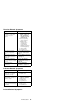
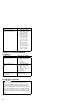
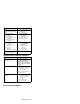
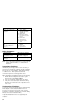
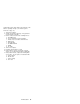
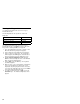
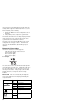
Table Of Contents
- Read This First
- Product Overview
- Checkout Guide
- Optional Device Checkout
- Power Management Features
- Symptom-to-FRU Index
- Running the Diagnostics
- Related Service Procedures
- FRU Removals and Replacements
- Important Notice
- FRU Service Procedures
- Removal Reference
- 1010 DIMM Card and Backup Battery
- 1020 Battery Pack
- 1030 Hard Disk Drive
- 1040 Keyboard Unit
- 1050 Keyboard and Speakers
- 1060 Diskette Drive Assembly or CD-ROM Assembly
- 1070 Diskette Drive and CD-ROM Drive
- 1080 LCD Unit
- 1090 Fan Assembly, CPU Card, and Thermal Rubber
- 1100 Upper Shield Case
- 1110 Box Speaker and Microphone
- 1120 DC/DC Card
- 1130 System Board and PC Card Slot
- 1140 Battery Pack Latch
- 2010 LCD Front Cover
- 2020 LCD Inverter Card
- 2030 LCD Panel
- 2040 LCD Misc. Parts
- 2050 LCD Cable
- 3010 ThinkPad Port Replicator with Advanced EtherJet Feature
- Locations
- Parts List
- Notices
If a device that is not installed appears in dark shade (for
example, FDD-2 appears in dark shade when
no
second
FDD is installed), do the following:
1. Replace the first device in the configuration, such as
an FDD-1.
2. If the problem persists, replace the system board.
The Parallel, and Serial icons are always displayed in dark
shade, because the icons represent subsystems of the
system board, not the attachment of devices.
The FDD-1 icon represents the first drive in the system
configuration for each type of device. The FDD-2 icon
represents the second drive, attached through a port
replicator.
Diagnostic Error Codes
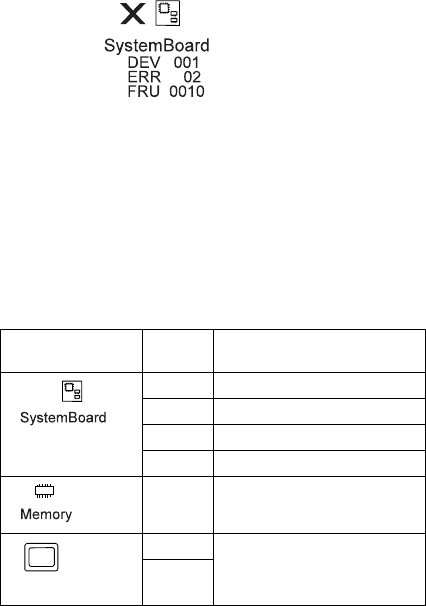
If an error is detected, the following appears:
Large X on the left side of the device icon.
Device ID (three digits)
Error code (two digits)
FRU code (four digits)
For example:
The device ID and error code indicate the detailed portion
of the FRU that caused the error. If replacing a FRU does
not correct the problem, see the device ID or error code
from the previous failure. If they changed, the new FRU
might be defective, or it may have been incorrectly
installed.
Device ID: If an error is detected by the diagnostic
tests, a three-digit device ID is displayed, indicating the
suspected device.
Icon Device
ID
Suspected Device
001 System board
003 Keyboard
007 Math coprocessor
086 Pointing device
002 Memory
Display
050 Display
054
36