
Laptop User Manual
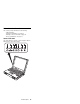
Table Of Contents
- Read This First
- Product Overview
- Checkout Guide
- Optional Device Checkout
- Power Management Features
- Symptom-to-FRU Index
- Running the Diagnostics
- Related Service Procedures
- FRU Removals and Replacements
- Important Notice
- FRU Service Procedures
- Removal Reference
- 1010 DIMM Card and Backup Battery
- 1020 Battery Pack
- 1030 Hard Disk Drive
- 1040 Keyboard Unit
- 1050 Keyboard and Speakers
- 1060 Diskette Drive Assembly or CD-ROM Assembly
- 1070 Diskette Drive and CD-ROM Drive
- 1080 LCD Unit
- 1090 Fan Assembly, CPU Card, and Thermal Rubber
- 1100 Upper Shield Case
- 1110 Box Speaker and Microphone
- 1120 DC/DC Card
- 1130 System Board and PC Card Slot
- 1140 Battery Pack Latch
- 2010 LCD Front Cover
- 2020 LCD Inverter Card
- 2030 LCD Panel
- 2040 LCD Misc. Parts
- 2050 LCD Cable
- 3010 ThinkPad Port Replicator with Advanced EtherJet Feature
- Locations
- Parts List
- Notices
They should not be reused.
Do the following when you service this machine:
Keep the screw kit (P/N 12J0808) in your tool bag.
Always use new screws.
Use a torque screwdriver if you have one.
FRU Service Procedures
Review the following procedures before replacing any
FRUs.
Replacing the System Board
Restoring the System Unit Serial Number
The system unit serial number is written on the label
attached to the bottom cover of the computer and is also
stored as vital product data (VPD) in the EEPROM on the
system board.
When you replace the system board, you must set the
system unit serial number on the new system board to its
original number as follows:
1. Press and hold F1 and power on the computer.
2. Hold down F1 until the Easy-Setup menu appears.
3. Click on Config.
4. Press Ctrl + N. The System Unit Serial Number
menu appears.
5. Follow the instructions on the menu.
Notes:
1. Do not power-off the computer during the restoring
process.
Updating the Universally Unique IDentifier (UUID)
The Universally Unique IDentifier (UUID) is a 128-bit
number uniquely assigned to your computer at production
and stored in the EEPROM of your system board. The
algorithm that generates the unique number is designed to
provide unique IDs until the year 3400 A.D. Consequently,
no two computers in the world have the same number.
When you replace the system board, you must set the
UUID on the new system board as follows:
1. Press and hold F1 and power on the computer.
2. Hold down F1 until the Easy-Setup menu appears.
3. Click on Config.
4. Press Ctrl + G. The UUID menu appears.
5. Press F5 to generate a new UUID and press Enter to
overwrite it to the EEPROM.
ThinkPad 380Z
43