
Laptop User Manual
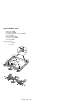

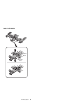
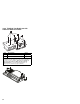
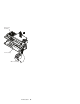
Table Of Contents
- Read This First
- Product Overview
- Checkout Guide
- Optional Device Checkout
- Power Management Features
- Symptom-to-FRU Index
- Running the Diagnostics
- Related Service Procedures
- FRU Removals and Replacements
- Important Notice
- FRU Service Procedures
- Removal Reference
- 1010 DIMM Card and Backup Battery
- 1020 Battery Pack
- 1030 Hard Disk Drive
- 1040 Keyboard Unit
- 1050 Keyboard and Speakers
- 1060 Diskette Drive Assembly or CD-ROM Assembly
- 1070 Diskette Drive and CD-ROM Drive
- 1080 LCD Unit
- 1090 Fan Assembly, CPU Card, and Thermal Rubber
- 1100 Upper Shield Case
- 1110 Box Speaker and Microphone
- 1120 DC/DC Card
- 1130 System Board and PC Card Slot
- 1140 Battery Pack Latch
- 2010 LCD Front Cover
- 2020 LCD Inverter Card
- 2030 LCD Panel
- 2040 LCD Misc. Parts
- 2050 LCD Cable
- 3010 ThinkPad Port Replicator with Advanced EtherJet Feature
- Locations
- Parts List
- Notices
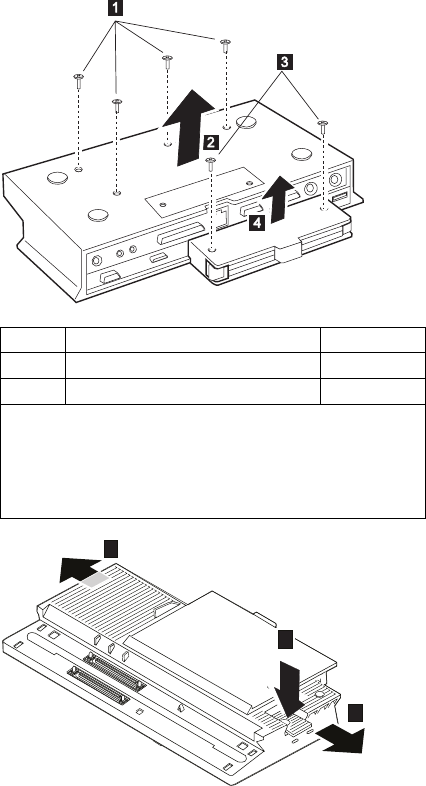
3010 ThinkPad Port Replicator with
Advanced EtherJet Feature
5
6
5
Step Size (Quantity) Torque
1 M2.5 x 5.5 mm, brass flat-head (2) 3 kgcm
3 M2.5 x 5.5 mm, brass flat-head (3) 3 kgcm
When re-installing: Make sure you use the correct screw,
and tighten all screws firmly to the torque shown in the table if
you have a torque screwdriver. Never use a screw that you
removed. Use a new one. Make sure the screws are
tightened firmly (see “Screw Tightening Information” on
page 4 if you do not have a torque screwdriver).
82