
Instruction Manual


WAFER-CV-D25502/N26002 3.5" Motherboard
Page 106
6.6 Audio Driver Installation
To install the Audio driver, please do the following.
Step 1: Access the driver list. (See Section
76.2)
Step 2: Click “4-Audio”.
Step 3: Open the Win7 folder.
Step 4: Double click the Vista_Win7_R263 icon.
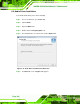
Step 5: The installation files are extracted as shown in
7Figure 6-17.
Figure 6-17: Audio Driver Installation File Extraction
Step 6: The Welcome screen in
7Figure 6-18 appears.