
Instruction Manual


WAFER-CV-D25502/N26002 3.5" Motherboard
Page 107
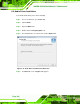
Figure 6-18: Audio Driver Welcome Screen
Step 7: Click Next to continue.
Step 8: The program begins to install.
Step 9: The installation progress can be monitored in the progress bar shown in
7Figure 6-19.
Figure 6-19: Audio Driver Installation
Step 10: When the driver installation is complete, the screen in
7Figure 6-20 appears.