
User's Guide

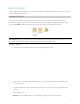
Table Of Contents
- Cover Page
- Contents
- 1 Introduction and Getting Started
- 2 Software Configuration
- 3 Advanced Settings
- 4 Troubleshooting and Support
- 5 Product Specifications and Regulatory Information
- 6 Glossary

9
Getting Started
This section provides instructions for getting your 5G FX2000 Indoor Router up and running, as well as
reset and support information.
Installing a SIM Card
Your SIM card is a small rectangular plastic card that stores your phone number and important
information about your wireless service. The 5G Indoor Router supports only Nano SIM cards. If the
device SIM is NOT already inserted into this device, select the correct SIM for this device.
CAUTION! Always use a factory-made SIM card supplied by the service provider. Do not bend or scratch
your SIM card. Avoid exposing your SIM card to static electricity, water, or dirt.
To install a SIM card:
1. Remove the cover from the SIM slot on the right side of the device.
2. If necessary, remove the SIM card from the outer card, being careful not to touch the gold
colored contacts.
3. Insert the SIM card into the slot with the gold-colored contact points facing the back of the
device.
4. Replace the cover.
NOTE: Should your SIM card be lost or damaged, contact your network operator.