
User manual




11
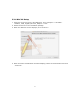
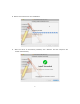
6. Click the “Browse” button and select Computer your CD-ROM drive
“D:505932_USB_ Gigabit_Ethernet_Adapter\Vista,” where “D” is the
designation of your CD drive. Click “OK” to proceed.
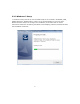
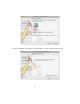
7. Click “Next” to begin the installation.
8. Wait a few moments while it installs the driver.
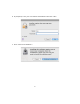
9. Click the “Close” button to finish the installation.