
Cov lus qhia


Demo Kit Quick-Start Guide
Application Launch
Page 5 of 15
DevSuite Quick-Start Guide – Rev. 65 onsemi reserves the right to change products or specifications without notice.
© 2022 onsemi All rights reserved.
‡Products and specifications discussed herein are for evaluation and reference purposes only and are subject to change by onsemi
without notice. Products are only warranted by onsemi to meet onsemi’s production data sheet specifications.
You can now connect your kit to your USB3 port.
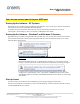
Starting Up the Software – XP Systems
Plug the kit into your computer using the USB cable provided. After a few seconds, your computer should detect
new hardware and start the “Found New Hardware Wizard”.
To complete the driver installation, follow the instructions in the document found via the start menu:
“All Programs > Aptina Imaging > Docs > User Guides > USB XP Driver User Guide”
Starting Up the Software – Windows7 and Windows10 Systems
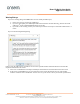
Plug the kit into your computer using the USB cable provided. After a few seconds, your computer should detect
new hardware and attempt to download the appropriate USB driver from the Microsoft driver server, during
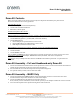
which this dialog should appear:
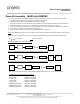
If the installation was successful, this dialog will appear:
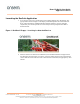
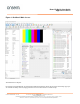
You are now ready to Launch DevSuite – please proceed to “Launching the DevSuite
Application”.
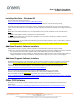
If the download fails (either due to a failed Internet connection or your system’s Firewall
settings, or incorrect FW on the onsemi development kit baseboard), this dialog will appear:
To resolve the issue, follow the instructions in the document found via the start menu:
“All Programs > Aptina Imaging > Docs > User Guides > USB Windows7 Driver User Guide”,
“USB Windows8 Driver User Guide” and “USB Windows10 Driver User Guide” are found under
“User Guides”.
Start-up Issues
For any OS, if there is no indication of new HW being present, unplug and plug-in the USB cable.
If there is still no indication of new HW, see section “Trouble Shooting / Camera Not Found” under the 2
nd
dash
“Outdated USB3 FW drivers on the PC”.