
User Manual Part 2

14
En
CUSTOMIZING TV SETTINGS
WATCHING VIDEOS
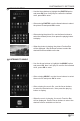
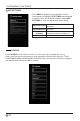
• Use the Arrow buttons to highlight the VIDEO option and
press OK, then it will jump to conrm the inserted drive,
press OK to enter.
• After entering VIDEO, use the Arrow buttons to select
the video le and press OK to enter.
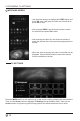
• After entering the video le, use the Arrow buttons to
select the desired video, then press the playing button to
display.
• When the video is playing, the video Function Bar will be
displayed. Use the Arrow buttons to select the desired
function available on the bar.
TV SETTINGS
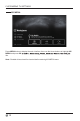
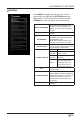
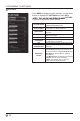
Press the MENU button on the main unit or on the remote control to display the main interface.
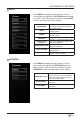
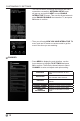
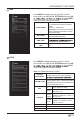
Then use the Arrow buttons to highlight TV Settings and press OK to enter. Then use the
Arrow buttons to cycle among the following options and select the desired one to enter.