
User's Manual


Troubleshooting
OPERATION GUIDE 5-13
2
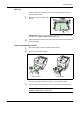
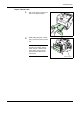
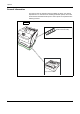
Pull the rear paper path and open
it.
3
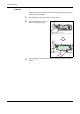
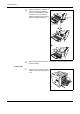
Open the fuser cover and remove
the jammed paper by pulling it out.
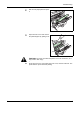
CAUTION: The fuser unit inside the printer is hot. Do not touch it, as it
may result in burn injury.
4
Close the fuser cover, rear paper path, rear cover, and rear subcover. The
printer warms up and resumes printing.