
User's Manual

USB Wireless Adapter Quick Installation Guide
4
¾
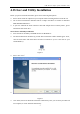
¾ Figure 3
5. Connect to Wireless Network
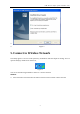
The Utility appears as an icon on the system tray of Windows while the adapter is running. You can
open the utility by double-click on the icon,
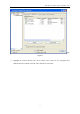
Figure 4
You can use the following methods to connect to a wireless network.
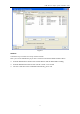
Method1:
¾ Select Network tab and click Rescan button to refresh current available wireless network