
Printer User Manual


78
The list is the scanned available access points. Select an access
po int in th e l ist and c lick “Nex t” . If you ca n not find t he access point that
yo u want t o us e, clic k “ Sc a n” t o let the printer server scan again.
Ad Hoc Mode:
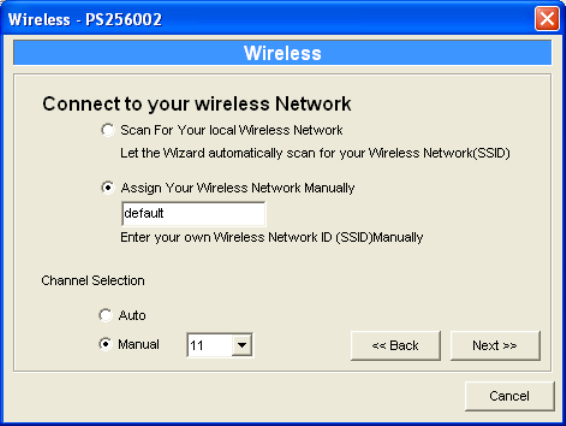
In the Ad-Hoc mode, you can let the printer server automatically
associate with other wireless station or manually assign the SSID of your
wireless network. You can let the printer server automatically select the
channel that is the same with the peer or manually assign a channel.
If you select to let the printer server scan for an active wireless
station, the following window will pop up.