
Quick Setup Guide

6
ENGLISH
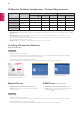
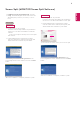
How to Run
1
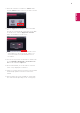
Double-click on the shortcut icon on the desktop, or
2
Click on the tray icon at the bottom right of the PC
screen.
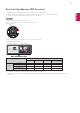
How to Use
For details on using the software, refer to the
program's Help.
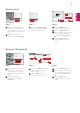
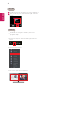
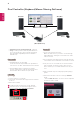
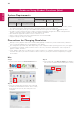
1. Click on the tray icon at the bottom right of the PC
screen.
2. Select a screen layout.
3. The screen split layout is applied.
1
2