
User guide


Table Of Contents
- תירבע
- ENGLISH
- Guidelines for safe and efficient use
- Important notice
- Getting to know your phone
- Your Home screen
- Google account setup
- Connecting to Networks and Devices
- Calls
- Contacts
- Messaging
- Camera
- Video camera
- Function
- Multimedia
- Utilities
- The Web
- Settings
- PC software (LG PC Suite)
- Phone software update
- About this user guide
- Accessories
- Troubleshooting
- FAQ
18
Installing the SIM card and battery
Before you can start exploring your new phone, you'll need to set it up. To insert the SIM card and battery.
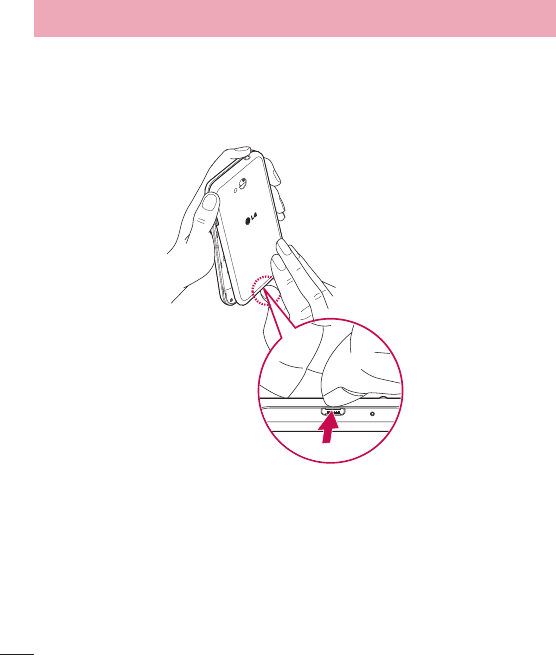
1 To remove the battery cover, hold the phone firmly in one hand. With your other hand, lift off the battery cover
with your index finger as shown in figure.
Getting to know your phone