
Quick Start Guide




8
Controller to Client Conversion (continued)
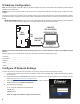
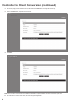
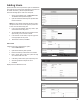
14. The license page provides Software Version, MAC Address and Edit button to change the license key.
15. Click on the Edit button, and paste the new license.
16. Click Save.
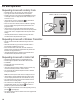
NOTE: The TE Front End is now a client which can be added to the EP Models as an expansion Module. The license screen will now say TE Client.
17. For instructions on how to add a client, refer to the Programming Manual.