
User`s guide
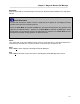

Table Of Contents
- Introduction
- Magnum Router Features
- Pre-Installation
- Installing the Hardware
- Magnum Router Manager Installation
- Logging Onto a Magnum Router
- Magnum Router GUI Manager
- Magnum Router Manager Main Screen
- Toolbar Buttons
- New Config Button
- Port Config Button
- WAN Config Button
- Other WAN Config Buttons
- Master WAN-IP Address
- WAN-IP Route Map
- Advanced Routing
- RIP Version 1 Routing
- Ethernet Config Button
- Micro-Band Voice Over IP
- Save Configuration
- Send Configuration
- Reboot the Magnum Router
- Menu Bar
- Configuration Menu (ALT-C)
- Settings Menu (ALT-S)
- System Menu (ALT-Y)
- Statistics Menu (ALT-T)
- Help Menu Item (ALT-H)
- Exit Menu Item (ALT-X)
- Toolbar Buttons
- Magnum Router Manager Main Screen
- Magnum Router Specialized Functions
- Sample Configurations
- Magnum Router Troubleshooting
- Magnum Router Cable Specifications
- Marathon Port Configuration
- Configuration Worksheets

Chapter 7: Magnum Router GUI Manager
___________________________________________________________________
7-6
Baud Rate
Sets the baud rate for the selected port. Choose from the baud rates available in the drop down
list box.
Baud Rate Notes
A
baud rate denotes the speed of which a serial port is to operate at. The Magnum Route
r
handles baud rates in the following manner:
When the Port Mode is selected as DCE, then the baud rate selected is the reported cloc
k
speed to the attached device. However, if the Port Mode is selected as DTE (which would
accept clock from an external source), the baud rate box changes to a Carrier Rate box and
denotes the accepted clocking speed of an attached device.
Notes
The notes field of the Port Settings screen gives a convenient way to document data that is
relevant to the selected port, such as circuit ID, or where the port connects to, etc.
Save
Select Sav
e to save changes to the Magnum Router Manager.
Exit
Select Ex
it to close this screen and return to the Magnum Router Manager main screen.