
Owner`s manual

21
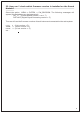
32. How can I check which firmware version is installed on the Sound
Module?
Select the option MENU-> SYSTEM -> SW_REVISION. The following messages will
appear (the data below are just examples):
SM_1.7 (Sound Module version = rev 1.7)
DSP V005 (Digital Signal Processing version = 5)
Then we will see the firmware versions of each instrument connected to the rack system:
KICK 5 (kick version =5)
SNARE 5 (snare version =5)
HIHAT 5 (hi hat version = 5)
etc..