
Specifications




MemoryCardChoice
Whenpoweredon,thedigitalframewillgointoautomaticslideshowmodeIfthereis
amemorycardinserted,orifyouhavephotossavedonthebuiltinmemory.
PressEXITkeytoreturntoPhotomenu(Fig1).
If the digital frame is not inserted with memory cards or there is no picture in its
built‐in memory, then it will go into Photo menu. After memory card is inserted, it
goesintoSelectCardsmode(Fig2).
PlayPhotoFile
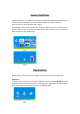
Aftermemorycardisinserted,thedigitalframewillgointoSelectCardsmode.
Operation:
In Select Cards mode, you can choose different memory cards by
or key . Press
ENTERkey after choosing the memory cardto go intoSlideshow, or Photo mode to
playpictures(Fig3).PressEXITtoreturnfromplayingstatus.