
Specifications



MDS 05-3438A01, Rev. E MDS 4790/9790 Series I/O Guide 15
4.4 Backup Battery
A single backup battery is normally installed in AC-powered master sta-
tions. To prevent battery discharge during shipment, the radio’s internal
Battery Backup
switch is set to OFF at the factory. It must be set to ON
at the time of installation to activate the radio’s battery-backup feature.
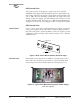
Location of Battery Backup Switch
A
BATTERY BACKUP control switch is provided behind the front panel
to enable and disable the internal back-up battery. The switch can be
accessed by removing the front panel (see Figure 11).
To remove the front panel, grasp it firmly along its bottom edge and pull
it away from the radio chassis (see Figure 8 on Page 13). Set the front
panel aside, using care not to damage the interconnecting cable.
In most cases, the radio begins transmitting as soon as power
is applied. Be sure that a proper load is attached to the radio’s
RF output connector before applying battery or mains power.
If AC power is disconnected, or the rear panel AC power
switches are set to OFF, the radio will continue to operate on
battery power until the battery discharges (approximately
1 hour). When shipping or storing the radio, always set the
BATTERY BACKUP switch to OFF to prevent discharge.
Invisible place holder
Figure 11. Battery Backup Switch Location
(Front Panel Removed)
CAUTION
POSSIBLE
EQUIPMENT
DAMAGE
OFF ON