
Specifications






MDS 05-3438A01, Rev. E MDS 4790/9790 Series I/O Guide 65
NOTE: Changing the transmitter’s operating frequency may result in degraded or
out-of-specification performance. Please review Section 8.4, Operating
Frequency Change Considerations, beginning on Page 85 before making a
change.
Receive
Frequency
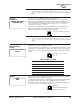
This screen is used to display or set the receive frequency.
Normally, the radio will be shipped programmed with the customer-specified
frequency. If the operating frequency was not specified when the radio was
ordered, the RX frequency is set to the center of the radio’s operating band. The
range of frequencies for standard models are given Section 10.1, Technical
Specifications, beginning on Page 93.
To change the current frequency, press ENTER, then use the left/right arrow
buttons to select a digit. Then use the up/down arrow buttons to increase or
decrease the number. Press ENTER to make the change.
NOTE: Changing the receiver’s operating frequency may result in degraded or
out-of-specification performance. Please review Section 8.4, Operating
Frequency Change Considerations, beginning on Page 85 before making a
change.
NOTE:Output
Power Setting
[37-20]
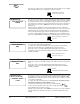
This screen is used to set or display the transmit power output setting. Power
output may be set from +37 dBm to +20 dBm.
To change this value, press ENTER, then use the left/right arrow buttons to select
a digit. Then use the up/down arrow buttons to increase or decrease the number.
Refer to Table 17 to convert dBm to watts if necessary. Press ENTER to make the
change.
Modem This screen is used to set or display the internal modem speed for compatibility
with the modem in the central host computer.
To change the modem speed, press ENTER, then use the up/down arrow buttons
to display available modem speeds. Press ENTER to make the change.
Review the Receive Level parameter on Page 71 and Transmit Gain parameter on
Page 71 for guidance on setting appropriate levels.
RR
RR
ee
ee
cc
cc
ee
ee
ii
ii
vv
vv
ee
ee
FF
FF
rr
rr
ee
ee
qq
qq
uu
uu
ee
ee
nn
nn
cc
cc
yy
yy
44
44
00
00
00
00
..
..
00
00
00
00
00
00
00
00
00
00
MM
MM
HH
HH
zz
zz
RX [xxx] command, Page 49
OO
OO
uu
uu
tt
tt
pp
pp
uu
uu
tt
tt
PP
PP
oo
oo
ww
ww
ee
ee
rr
rr
SS
SS
ee
ee
tt
tt
tt
tt
ii
ii
nn
nn
gg
gg
33
33
00
00
dd
dd
BB
BB
mm
mm
Table 17. dBm Vs. Watts
dBm Watts dBm Watts
+37 dBm 5.0 watts +27 dBm 500 milliwatts
+35 dBm 3.2 watts +25 dBm 320 milliwatts
+33 dBm 2.0 watts +23 dBm 200 milliwatts
+31 dBm 1.25 watts +20 dBm 100 milliwatts
+29 dBm 800 milliwatts
PWR [20–37] command,
Page 47
MM
MM
oo
oo
dd
dd
ee
ee
mm
mm
44
44
88
88
00
00
00
00
MODEM
[NONE/4800/9600/19200/
DEFAULT] command,