
Specifications






MDS 05-3438A01, Rev. E MDS 4790/9790 Series I/O Guide 67
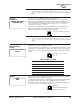
Soft-Carrier
De-key Delay
This screen is used to set or display the Soft-Carrier Dekey Delay. This is the
amount of time to wait after a de-key request before actually de-keying the radio.
When the delay is 0, the radio will de-key immediately following removal of a keying
signal.
To change the delay, press ENTER, then use the left/right arrow buttons to select
the digit to change. Then use the up/down arrow buttons to increase or decrease
the digit. Repeat for the other digits if necessary. Press ENTER again to make the
change.
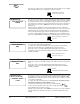
Transmit Timeout This screen is used to display the Transmit Timeout setting, and to enable or
disable this timer. When this timer is enabled, it disables the transmitter after a set
period of time to prevent unnecessary use of the frequency. If the radio is set to
continuous keying (see “Continuous Keying” on Page 68), the Transmit Timeout
Timer is automatically disabled.
To enable or disable the timer, press ENTER, then use the up/down arrow buttons
to display ENABLED or DISABLED. Press ENTER to make the change.
See the following command to change the timer delay.
Transmit Timeout
Duration
This screen is used to set or display the Transmit Timeout duration. This is the
amount of time to wait before disabling the transmitter to prevent unnecessary use
of the frequency. If the radio is set to continuous keying (see “Continuous Keying”
on Page 68), Transmit Timeout is automatically disabled.
To change the duration, press ENTER, then use the left/right arrow buttons to
select the digit to change. Then use the up/down arrow buttons to increase or
decrease the digit. Repeat for the other digit if necessary. Press ENTER again to
make the change.
RX Timeout
[NONE, 1-1440]
This screen is used to set or display the RX Timeout Timer duration. This is the
amount of time to wait (in minutes) after the last data receipt before switching over
to the stand-by transceiver board and generating an alarm.
To change the duration, press ENTER, then use the left/right arrow buttons to
select the digit to change. Then use the up/down arrow buttons to increase or
decrease the digit. Repeat for the other digit if necessary. Press ENTER again to
make the change.
To disable the Receive Timeout Timer, set the duration to NONE.
Repeater Mode This screen is used to set or display the radio’s operation as a repeater. When the
radio is set to operate as a repeater, the screen displays “enabled” (repeater mode
is enabled). When the radio is a non-repeater, the screen displays “disabled”
(repeater mode is disabled).
To change the operating mode, press ENTER, then use the up/down arrow buttons
to select ENABLE (repeater mode) or DISABLE (non-repeater mode). Press
ENTER again to make the change.
SS
SS
oo
oo
ff
ff
tt
tt
CC
CC
aa
aa
rr
rr
rr
rr
ii
ii
ee
ee
rr
rr
DD
DD
ee
ee
--
--
kk
kk
ee
ee
yy
yy
00
00
mm
mm
ii
ii
ll
ll
ll
ll
ii
ii
ss
ss
ee
ee
cc
cc
oo
oo
nn
nn
dd
dd
ss
ss
SCD [0-255] command,
Page 50
TT
TT
rr
rr
aa
aa
nn
nn
ss
ss
mm
mm
ii
ii
tt
tt
TT
TT
ii
ii
mm
mm
ee
ee
oo
oo
uu
uu
tt
tt
ee
ee
nn
nn
aa
aa
bb
bb
ll
ll
ee
ee
dd
dd
TOT [ON/OFF, 1-255]
command, Page 54
TT
TT
rr
rr
aa
aa
nn
nn
ss
ss
mm
mm
ii
ii
tt
tt
TT
TT
ii
ii
mm
mm
ee
ee
oo
oo
uu
uu
tt
tt
33
33
00
00
ss
ss
ee
ee
cc
cc
oo
oo
nn
nn
dd
dd
ss
ss
TOT [ON/OFF, 1-255]
command, Page 54
RR
RR
XX
XX
TT
TT
ii
ii
mm
mm
ee
ee
oo
oo
uu
uu
tt
tt
nn
nn
oo
oo
nn
nn
ee
ee
RR
RR
ee
ee
pp
pp
ee
ee
aa
aa
tt
tt
ee
ee
rr
rr
MM
MM
oo
oo
dd
dd
ee
ee
ee
ee
nn
nn
aa
aa
bb
bb
ll
ll
ee
ee
dd
dd
REPEATER [ON/OFF]
command, Page 48